
Pine County Traffic Court Records
Traffic cases in Pine County belong to the District Court. Court Administration keeps the court case record. The public view of it runs through MCRO. Look there for the citation or charge, case number, plea, hearing settings, orders, financial entries, and disposition. Need a court date or a copy of a filing? This court docket is the record to use.
The Pine County cities in this profile have no separate city ticket portal. They also keep no municipal traffic docket of their own. A citation once filed travels the Pine District Court route. Keep the paper ticket handy. It spells out the court instruction and the response terms. The official Pine court page confirms that traffic sits within the District Court's original jurisdiction. It also gives Court Administration contact information.
Pine County Traffic Citation Number Path
The citation number is your best first identifier. It is printed right on the ticket. According to the Judicial Branch, it usually appears as a 12-digit preprinted number at the top left or top right. Parking tickets in Hennepin and Ramsey Counties follow stated exceptions. After the citation is submitted, MNCIS generates the court case number. Enter the full string when searching. Keep leading zeroes, skip the spaces, and never rely on a partial number.
A Pine court number may later take the form 58-VB-YY-sequence. That pattern is seen with payable traffic matters. Here 58 is Pine's county code. The VB marks a non-mandatory payable citation. When names run similar, the case number from your notice or the Register is the stronger follow-up key for a docket search. The Judicial Branch citation and case-number guidance explains both the printed number and the court number created after filing.
Pine County Traffic Ticket Search Fields
MCRO has no separate Pine citation website. Its Case Search offers a Citation Number mode along with an alternate Case Number mode. Narrow results to Pine under specific county court locations. In citation mode, type the complete number exactly as printed. A pending traffic matter can also surface through the general court search. A name-only docket lookup is less reliable for those.
| MCRO field or control | Type | How it applies to a Pine traffic ticket |
|---|---|---|
| Search mode | Button or tab | Select Citation Number for the printed citation. |
| Citation Number | Required text field | Usually 12 digits; enter the entire number exactly as printed. |
| Case Number | Alternate text mode | Use the court file number, such as an observed 58-VB-YY-sequence pattern. |
| Case Category | Optional filter | Traffic can route with Criminal or the applicable category shown in the record. |
| Court Locations | Selector | Choose statewide or select Pine for a local search. |
| Find / Clear | Buttons | Run or reset the current search. |
The official MCRO Case Search supplies the public search form. It posts no Pine-specific fine amount, deadline, ticket image, or status dropdown.
Looking Up a Traffic Ticket
Read the citation before you search anything. Preserve its printed court, date, response direction, any mandatory-appearance or endangerment indicator, the citation number, and the payment instruction. Those are the first facts that matter. Then turn to MCRO to locate the court record. If the citation has already become a Pine case, Case Details opens the Register of Actions and any permitted documents. Hearing Search and Pine's daily PDF serve as separate checks for a setting, but neither one replaces the citation instruction.
- Read the citation and keep the complete citation number, court, date, and appearance instruction.
- Search MCRO by Citation Number or Case Number and select Pine if a county filter is useful.
- Check MCRO Hearing Search and the Pine calendar with the case number for a scheduled court date.
- Call Pine Court Administration for a record or setting question, or visit the public terminal and counter when remote search is incomplete.
- Use the Court Payment Center only for payable-ticket payment questions, and request a specific court document by mail or counter when needed.
Pine Court Administration lists (320) 591-1500 for questions about the case record. For payable tickets, the Court Payment Center offers official payment guidance.
Pine County Traffic Calendar Limits
Pine's public calendar is a searchable daily PDF rather than a complete ticket database. It posts each business day at 7:00 a.m. It updates hourly after that. A row can show party, location, date, time, judicial officer, hearing type, connection type, and case number. Search by case number or by party, and keep the printed date.
The Pine court page warns that the calendar leaves out some matters. Confidential cases and those not remotely accessible never appear. An empty result does not mean a hearing was cancelled or reset. During the day, the lobby and courtroom screens are the most current view of the docket. When something conflicts, resolve it through the notice and the later Register entry.
Note: A Pine traffic calendar row can help you locate a setting. But the citation and current court notice control the response date.
How to Find Your Traffic Court Date
Go to the written citation or the later court notice first. From there, search MCRO Hearing Search by case number, name, judicial officer, or attorney. Narrow to Pine when it helps. The Pine public PDF offers a second day-of-setting check on the court calendar. One caution: a later Register event, notice, or court instruction can replace an older PDF entry. So verify a changed hearing instead of inferring it from an older calendar result.
| Citation number | Usually a 12-digit number printed on the citation; enter it exactly in MCRO Citation Number mode. |
|---|---|
| Court case number | A Pine pattern may read 58-VB-YY-sequence; use the actual number on the case notice. |
| Hearing date and time | Shown in the notice, MCRO Hearing Search, or a calendar result when public. |
| Location or connection | The Pine PDF may list Courtroom A, B, C, or Zoom and a connection type. |
| Hearing type | Examples observed in Pine include arraignment, pre-trial, plea hearing, sentencing, hearing, and court trial. |
| Current status | Read later Register events and the notice; a missing calendar row is not a cancellation. |
The MCRO Hearing Search and Pine daily calendar are the official date-check channels. For a broader hearing workflow, see the Pine court dates reference.
Pine County Traffic Mandatory Appearance Clues
Start with the ticket itself. The citation tells you whether your Pine County matter is payable. It also tells you whether you must appear. Under Statewide Judicial Branch guidance, a payable path covers petty misdemeanors, many traffic or parking charges, and cases where every listed offense is payable and no endangerment box is checked. A mandatory appearance can attach to felony, gross misdemeanor, misdemeanor, nonpayable petty or ordinance matters. It can also attach to any citation carrying an endangerment indicator or a complaint or petition.
These categories help you read the docket entry. But they set no single Pine deadline and promise nothing about online payment. Read every count, then read any later notice. When one count is nonpayable, the appearance instruction governs; you cannot assume one payable count closes the case. The statewide payable-offense reference lists the official payable and mandatory-appearance indicators.
Pay or Contest a Ticket
Paying a ticket is a legal choice, not a quick transaction. The Judicial Branch says that paying a payable citation, even in part, counts as a guilty plea. It also counts as a waiver and a conviction. The citation fixes the deadline and says whether the matter is payable at all. To contest, or when an appearance is required, follow the instructions on the citation or notice. That keeps the court-date process alive. Court Administration handles the underlying case record; the Court Payment Center answers payable-ticket payment questions.
| Paying a payable citation | Following the contest or appearance instruction |
|---|---|
| Available only when the citation and listed offenses permit payment. | Required where the citation or listed offense requires an appearance or other court response. |
| Payment or partial payment acts as a guilty plea, waiver, and conviction. | Keep the citation and current notice, then follow the court’s specified response and setting instruction. |
| Use the official payment route for payable-ticket questions. | Use MCRO, the calendar, and Court Administration to confirm the court case and current setting. |
| The citation’s deadline controls. | The citation or later court notice controls the appearance date. |
Do not infer the consequence of a missed date. A missed appearance can cause additional court action, but the official Pine material does not publish a single failure-to-appear fee or consequence for every ticket. Read the citation and current court order, then confirm a concern with Pine Court Administration or the Court Payment Center.
Traffic Court Record vs Driving Record
Two files, two offices. A Pine traffic court record is the District Court citation case and its court events. Pine County Court Administration holds it. A Minnesota driving record is a separate file. It sits at the Department of Public Safety Driver and Vehicle Services. MCRO reaches court records only, so it is not the place for a full licensing record.
| Record | Custodian | What the record is for | Correct request path |
|---|---|---|---|
| Court traffic record | Pine County Court Administration | Citation or charge, court case number, settings, pleas, orders, disposition, and court financial entries. | MCRO, the Pine courthouse terminal, Court Administration counter, phone, or a specific copy request. |
| Minnesota driving record | Minnesota DPS Driver and Vehicle Services | A separate licensing-agency record rather than the Pine court Register. | Use DVS procedures for a driving-record request. |
Keep that line firm when you do a ticket lookup. A court request never replaces a DVS request, and a DVS form never replaces a Pine court document request. The DVS driving-record request procedure shows the official route to the agency's own record.
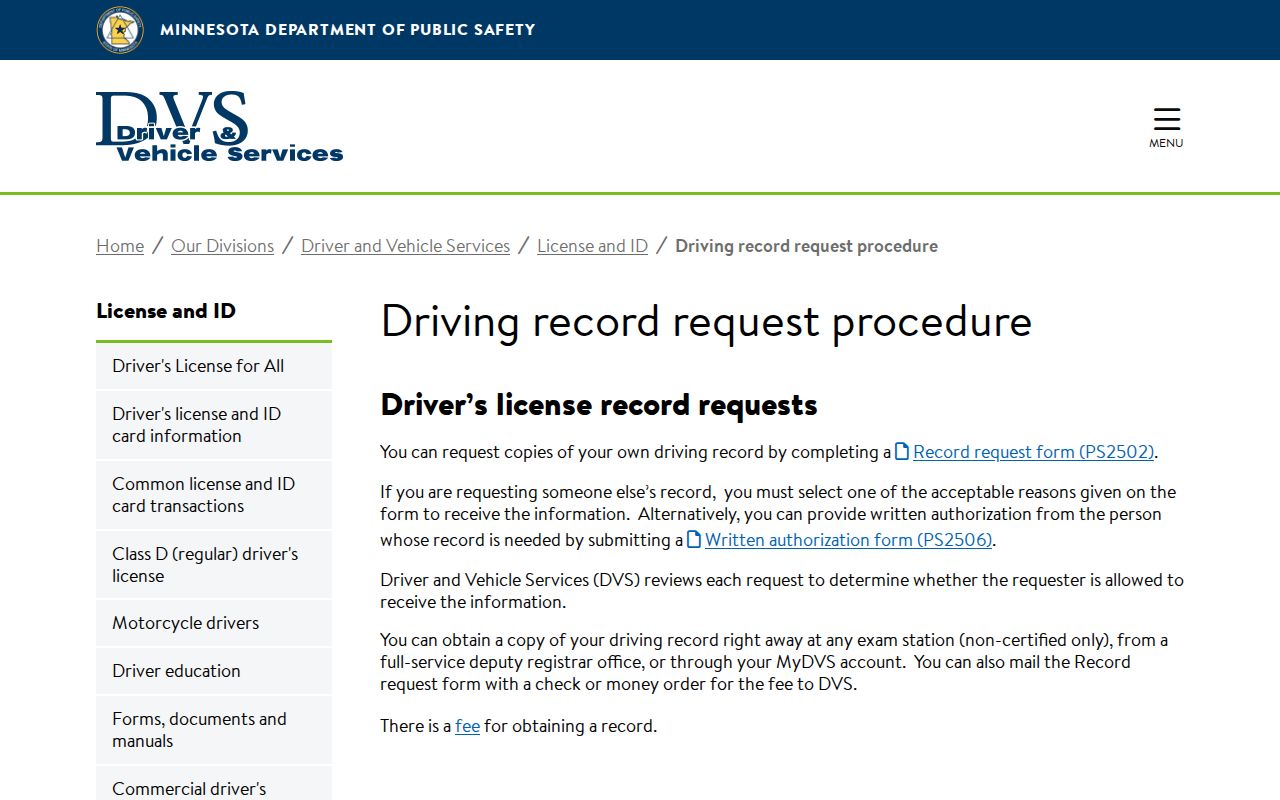
That DVS procedure runs entirely outside MCRO and Pine Court Administration, which keep the court case record. The official page spells out its separate request steps.
Pine County Traffic Ordinance Record Split
City hall has its role. It keeps municipal documents and city ordinance text. A filed Pine court record is something different. The statewide local-ordinance reference is a government-partner table built for metadata. Its fields cover effective date, citation, description, classification, payable fine amount, and whether an appearance is mandatory. It is not a ticket lookup. Any citation case still sits in MCRO and the Pine District Court record chain. That split holds in every Pine County city profiled here. No city runs its own current court database. Hang onto the citation number. Check MCRO for the Pine County court docket. Ask Court Administration for copies of court documents. City government is the right call only for ordinance wording. Other municipal records outside the court Register of Actions belong there too. The Minnesota local-ordinance reference lays out the ordinance table and what each field means.
Copies and Fees
Copies in a traffic case follow the same Pine District Court record schedule. That schedule governs other public case files too. A plain copy is generally free. Certification or exemplification changes both the service and the price. These are copy charges, separate from any citation's payable amount. Before asking Court Administration to calculate a request, pin down the citation case number. Also pin down the exact order, disposition, Register, or other item the ticket record needs.
| Pine traffic court record service | Current amount | Use |
|---|---|---|
| Permitted MCRO document viewing | No current charge stated | Online document access where the security setting permits it. |
| Plain copy or MNCIS printout | $0 | Uncertified court record copy. |
| Certified copy | $14 per document or item | Court-issued copy bearing the raised seal. |
| Exemplified plus uncertified copy | $14 per document | Use the distinct copy-form selection. |
| Certified plus exemplified copy | $28 per document | Raised seal plus required signatures. |
| Scanning, where applicable | $25 per 50 pages or part | Confirm application with Court Administration. |
Pine County Traffic Record Requests
A traffic document is sometimes missing from MCRO. Request the exact item from Pine Court Administration. Give the case name or citation case number. Name the document, add your contact details, and confirm any charge before mailing payment. Pine's local instruction says to allow five days for mail requests. Multiple files, older material, or confidentiality review can stretch that timeline. The official DVS record-request forms serve the state driving-record process, not a Pine court copy. Keep the two requests apart so each office gets the right file description.
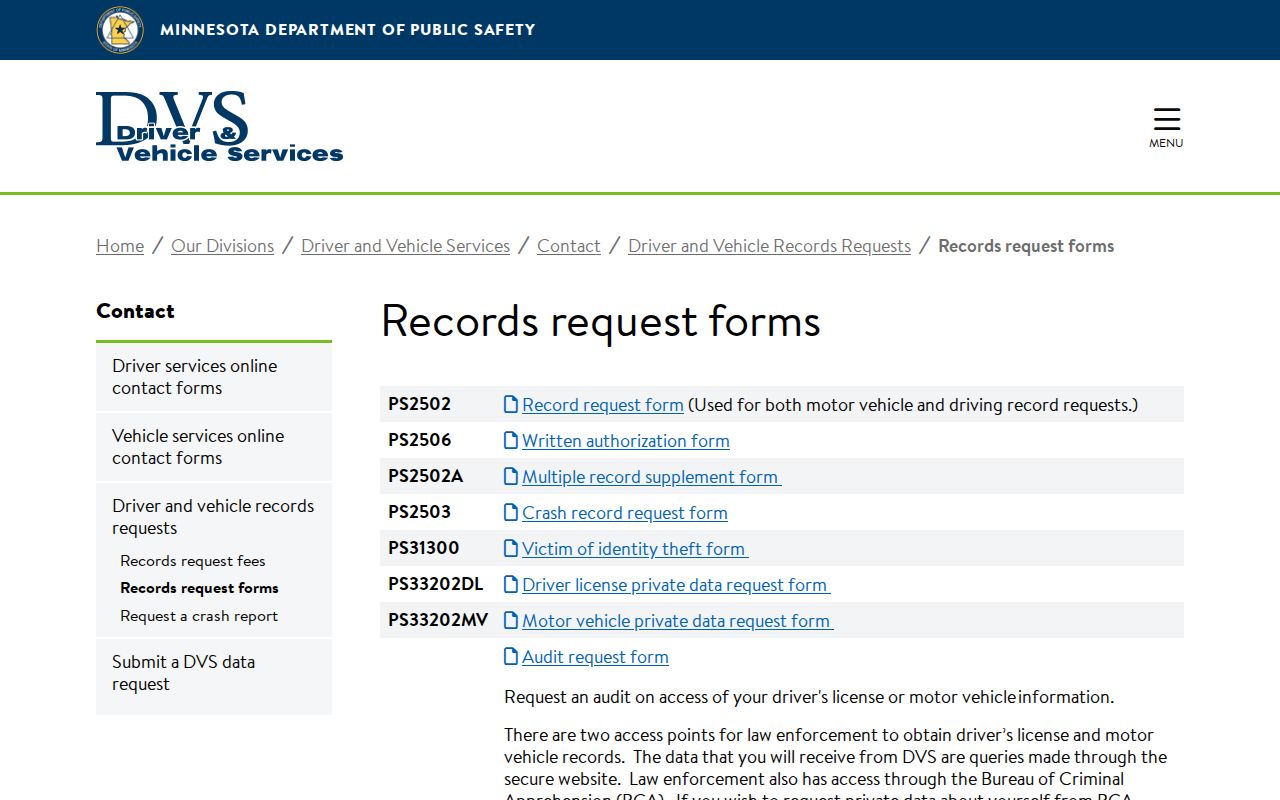
The official DVS forms illustrate the point: a licensing-agency request will not produce a Pine District Court case document. Each office fills only its own request. For a court copy, start with the citation case number and Pine Court Administration rather than a generic traffic-history request.